Nullam dignissim, ante scelerisque the is euismod fermentum odio sem semper the is erat, a feugiat leo urna eget eros. Duis Aenean a imperdiet risus.

Transform Your WooCommerce Store
No Coding Required!
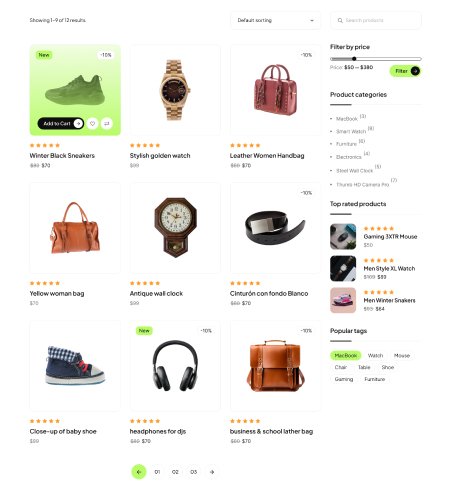
Create stunning product grids, sliders, tabs, and responsive layouts with Elementor. Showcase your products like a pro in minutes.



Store Features
Unlimited Features
Unlimited Features
For Design WooCommerce Store
A Complete WooCommerce shop builder for Elementor
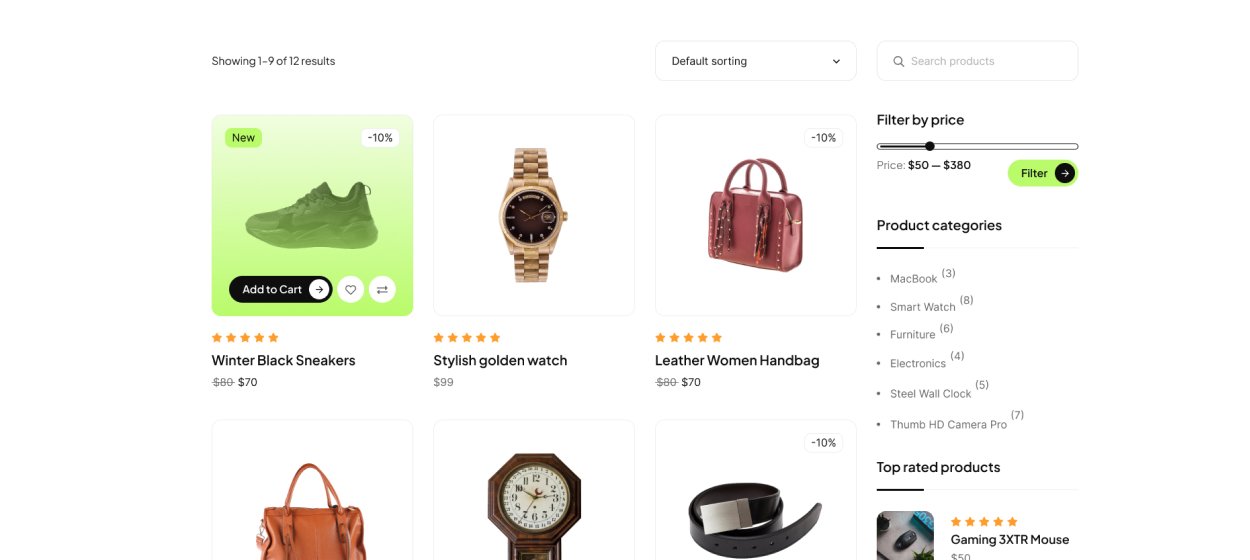
Pre-Built Shop Templates
Create an eye-catching Shop page for WooCommerce effortlessly using our ready-made Shop template - no coding required!
- Pre-Built Templates
- Responsive Layouts
- Elementor Widgets
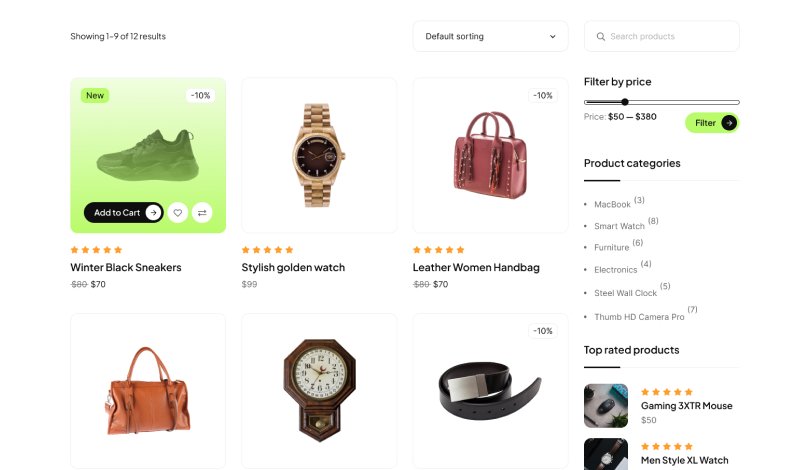
Pre-Built Shop Templates
Create an eye-catching Shop page for WooCommerce effortlessly using our ready-made Shop template - no coding required!
- Pre-Built Templates
- Responsive Layouts
- Elementor Widgets
Pre-Built Shop Templates
Create an eye-catching Shop page for WooCommerce effortlessly using our ready-made Shop template - no coding required!
- Pre-Built Templates
- Responsive Layouts
- Elementor Widgets
Pre-Built Shop Templates
Create an eye-catching Shop page for WooCommerce effortlessly using our ready-made Shop template - no coding required!
- Pre-Built Templates
- Responsive Layouts
- Elementor Widgets
Pre-Built Shop Templates
Create an eye-catching Shop page for WooCommerce effortlessly using our ready-made Shop template - no coding required!
- Pre-Built Templates
- Responsive Layouts
- Elementor Widgets
Pre-Built Shop Templates
Create an eye-catching Shop page for WooCommerce effortlessly using our ready-made Shop template - no coding required!
- Pre-Built Templates
- Responsive Layouts
- Elementor Widgets
WooCommerce Modules to Power Your Store
20+ Complete Modules for a
20+ Complete Modules for a
Professional WooCommerce Store
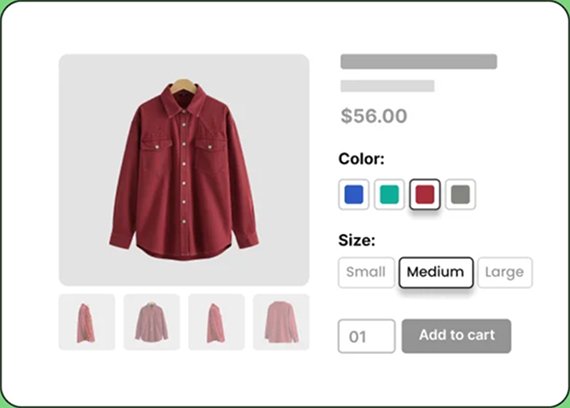
Variation Swatches
StoreBuild's Variation Swatch module lets you display product options in a clean, intuitive way to improve user experience and conversions.
- Show in shop page
- Change variation position
- Show in shop page
- Change variation position
Product Compare
The WooCommerce Product Compare feature lets users compare products side by side to make informed buying decisions.
- Side-by-Side
- Custom Criteria
- User-Friendly
- Responsive Design
Quick Checkout
The Quick Checkout module lets you create a user-friendly pop-up checkout for a smooth and fast purchasing experience.
- Pop-up Checkout
- One-Click Purchase
- Fast & Streamlined
- Auto-Fill & Smart Form
Cart Page
Explore and create your own cart page layouts using a wide range of free Elementor widgets and addons for a fully customizable experience.
- Wide Range of Widgets
- Drag & Drop Layout
- Fully Customizable
- No Coding Required
My Account
Use the attractive My Account template instead of the default version to provide easy access to login, registration, orders, and account details.
- Login & Registration
- User Profile Management
- Order History & Tracking
- Password & Security
Currency Switcher
The WooCommerce Currency Switcher lets customers view prices in their preferred currency, improving usability and conversions.
- Multi-Currency Support
- Real-Time Currency
- Geo-Location Rules
- Automatic Rate Updates
WooCommerce Ready Templates
Launch Your Store Fast with
Launch Your Store Fast with
Ready-Made Templates









Why Choose Storzen
Why Store Owners Love Storzen
No Coding Required
Build layouts visually
Boost Conversions
Stunning product presentation
Seamless Elementor Integration
Drag-&-drop simplicity
Fully Responsive
Mobile, tablet, desktop ready
Flexible Product Filtering
Highlight specific products or categories
Clients Testimonials
What Store Owners
What Store Owners
Are Saying
Startups, established brands, experts and even beginners, everybody rely on us!

WordPress.org
4.8 out of 5“Shop Looks Great!”
“This app has completely changed the way I manage my daily workflow. Before using it, I struggled staying organized and keeping track of tasks now everything is streamlined”.

Sarah Mitchell
Operations Manager“Shop Looks Great!”
“This app has completely changed the way I manage my daily workflow. Before using it, I struggled staying organized and keeping track of tasks now everything is streamlined”.
Sarah Mitchell
Operations Manager“Shop Looks Great!”
“This app has completely changed the way I manage my daily workflow. Before using it, I struggled staying organized and keeping track of tasks now everything is streamlined”.
Sarah Mitchell
Operations Manager“Shop Looks Great!”
“This app has completely changed the way I manage my daily workflow. Before using it, I struggled staying organized and keeping track of tasks now everything is streamlined”.
Sarah Mitchell
Operations Manager
Ready to Elevate Your
WooCommerce Store?
Get started with Storzen today and build stunning product layouts in minutes—no coding required.”